
Scan kids' artwork
Turn a crumpled drawing into a clean digital copy
Squiglet's scanner does what a flatbed scanner does, using the camera you already have. Hold your phone over the page and it handles the rest.
Works on drawings, paintings, worksheets and cards.
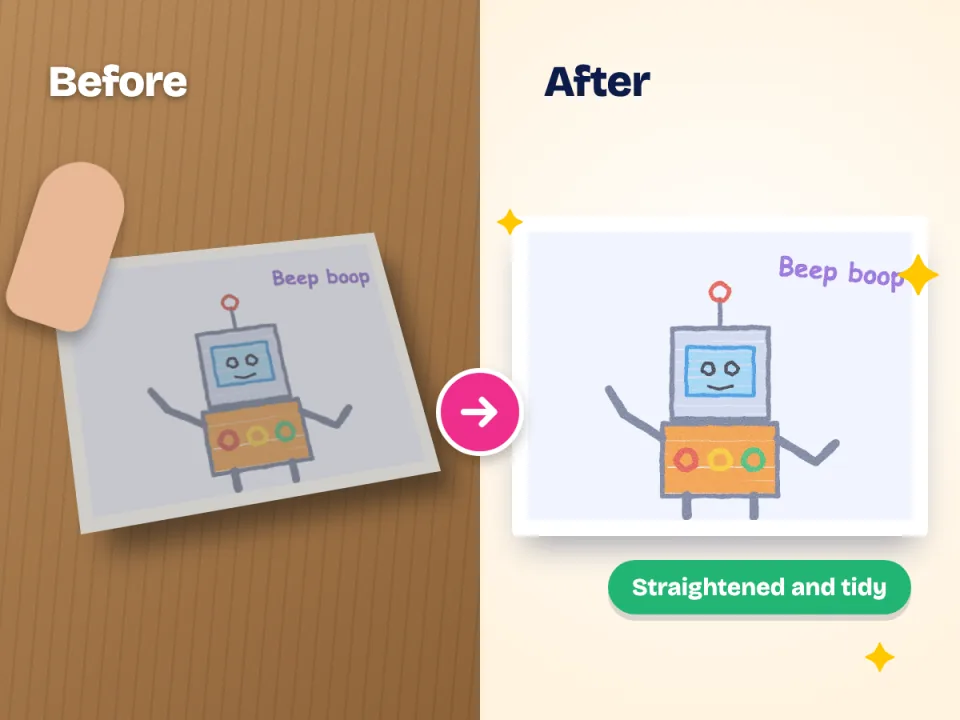
What the scanner does
Four fixes in one tap
-
Finds the edges
It spots the paper against the table, even a white page on a pale table.
-
Straightens it
A page photographed at an angle is flattened so it looks as if the camera were directly above.
-
Evens the light
Soft shadows and a yellow kitchen bulb are balanced, without washing out the crayon.
-
Keeps the original
The photo you took is stored untouched next to the tidied version.
Get great results
Three habits that make every scan better
Use daylight. Put the drawing near a window and avoid the flash. Natural light shows true colours.
Fill the screen. Get close enough that the paper fills most of the frame, but keep all four corners visible.
Lay it flat. Press a curled painting flat under a book for a minute first.
Big or small
Sticky notes to giant sugar paper
For a very large painting, step back so the whole sheet fits in the frame and let Squiglet crop it. Take your time with sculptures and 3D models: photograph them from a couple of angles and add them to the same library.
Scanning questions
Is scanning with a phone good enough for printing?
For prints and photo books, yes. A modern phone photo has plenty of detail, and Squiglet tells you in the app if a picture is too small to print well at a given size.
Can I scan lots of drawings at once?
You can take photos one after the other and choose many pictures at once from your camera roll, then sort them into a child's library later.
What about metallic pens and glitter?
Shiny things reflect the light. Tilt the page slightly or move away from a direct lamp, and take the picture again if a reflection spoils it.
Does scanning change the original drawing?
No, the paper is never touched. And inside the app, your original photo is kept exactly as you took it.
Scan your first drawing in a minute
Join the waitlist and we will tell you the moment Squiglet is ready.
Free to start. No card needed.