
Everything Squiglet does for your kids' artwork
A calm, simple app that does the boring parts (scanning, sorting, backing up) so you can enjoy the drawings.
Automatic scanning
Edges found, perspective corrected, light evened out. Take one or choose a whole pile.
Find out moreA library for each child
A timeline for every child, grouped by month, with titles, notes and ages.
Family sharing
Invite parents, grandparents and friends. Choose who can view and who can add.
Find out moreFavourites, for each person
Everyone keeps their own favourites without changing anyone else's.
Crop, rotate and adjust
Fix a crop, turn a picture the right way up, brighten the colours. Edits never touch the original.
Find anything fast
Filter by child, favourites or month, and add titles and notes to find the story behind the picture.
Gentle reminders
A notice when family adds pictures, and one Sunday-evening nudge if you have not added any all week. Both optional.
Private by design
Only invited people can see your library. Support cannot see names, titles or notes.
Find out moreTake it all with you
Export the whole family library at full size whenever you like.
Photo books
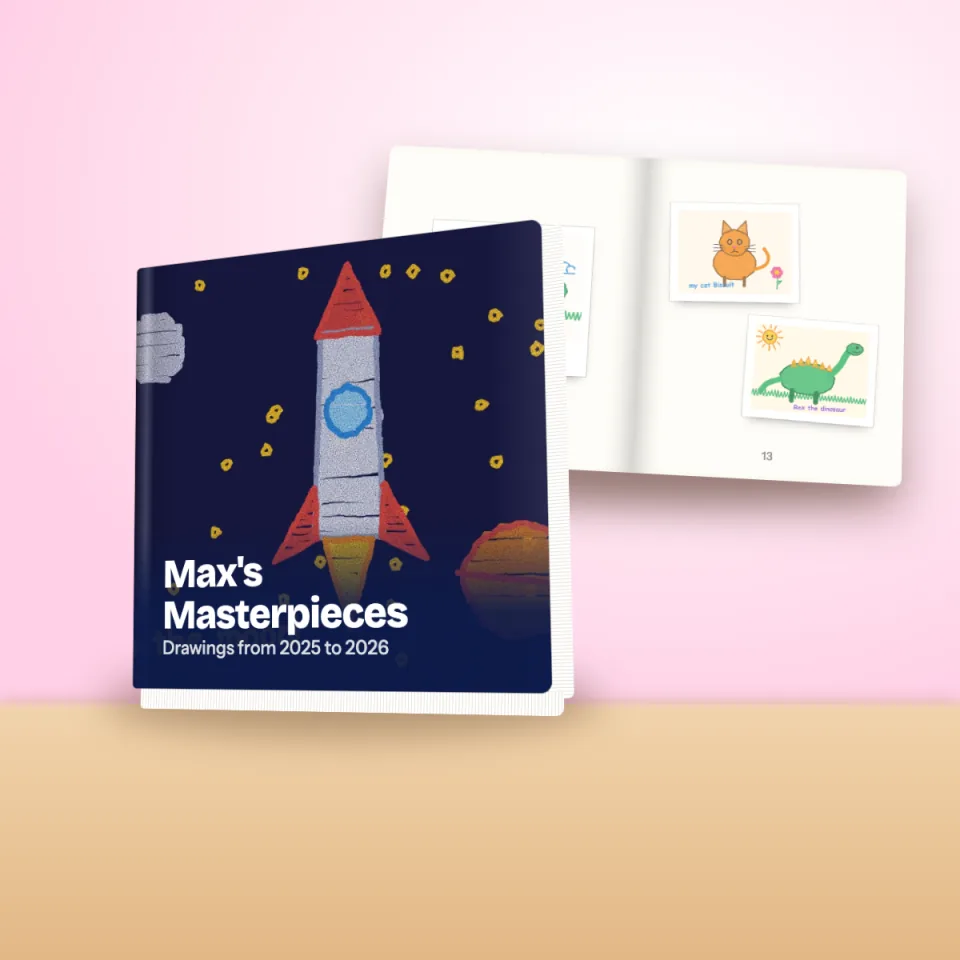
Design a book in the app with captions, framed pages and a cover made from your child's art.
Find out moreArt prints
Archival matte prints from A5 to A2, ready for the wall.
Find out morePhone cases and more
Cases, mugs, canvases, cards and tote bags printed with the favourites.
Find out morePhoto book designer
Design a book you will keep for ever
Choose pages from your library, drag them into order and add captions. Squiglet frames each drawing so even a scrappy edge looks intentional, and shows you every page before you pay.
- Softcover or hardcover, portrait or square
- From 30 up to 200 pages
- Auto-saved drafts, so you can build it over weeks
- Flip through a preview before you order
The app
Simple enough for the grandparents
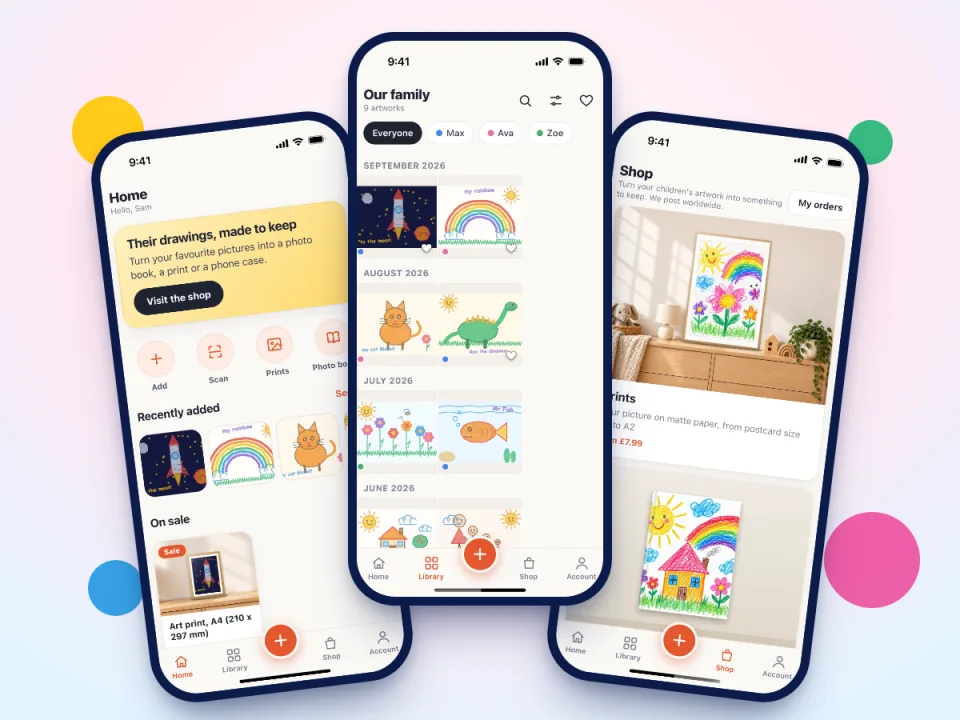
Four places at the bottom of the screen: Home, Library, Shop and Account. A big plus button to add a picture. That is all you need to learn.
For the whole family
One library, many people
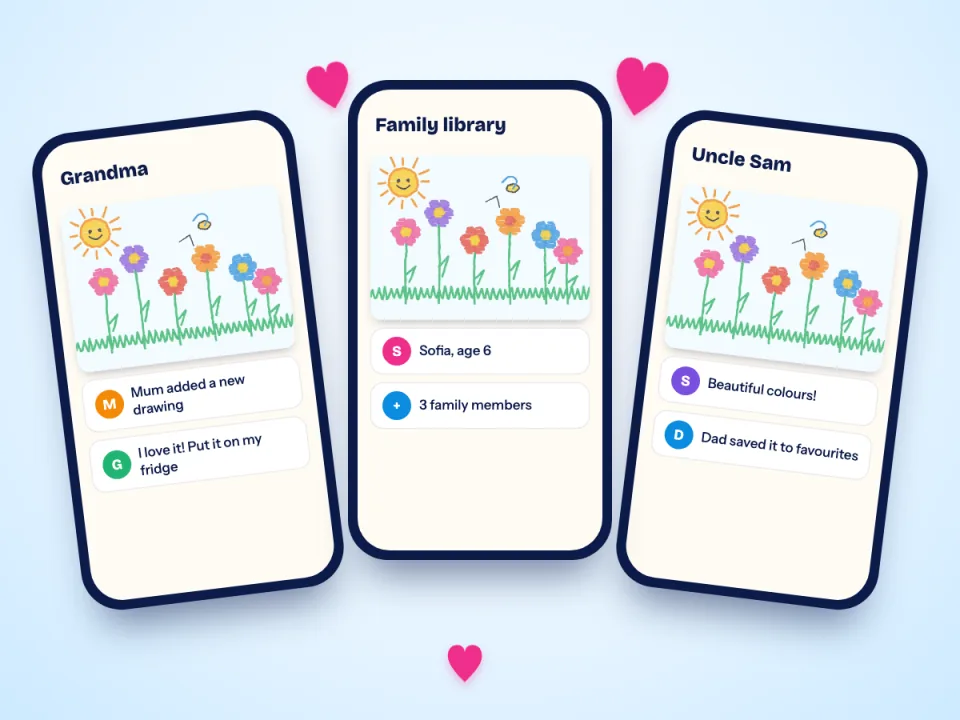
Mum, Dad, Grandma and Grandad all see the same library on their own phones. Each person has their own favourites and their own notifications.
Start your family's art library
Join the waitlist and be first in line when Squiglet launches.
Free to start. No card needed.